SIEGEL+GALE
Design Scope
User Research, Interface Design, Prototyping, Case Study
Timeline
September 2022 – December 2022
The Problem
Screen time has been continually increasing among children over the backdrop of an increasing reliance on digital platforms following the COVID pandemic.
The Case Study
This case study covers research related to the impact of screen time on children, child device monitoring, and achieving healthier relationships with screens through a family-oriented lens. Outcomes include establishing the negative effects of increasing screen time, synthesis of the most effective screen time reduction methods, and insights into creating the most effective screen time reduction solution for children.
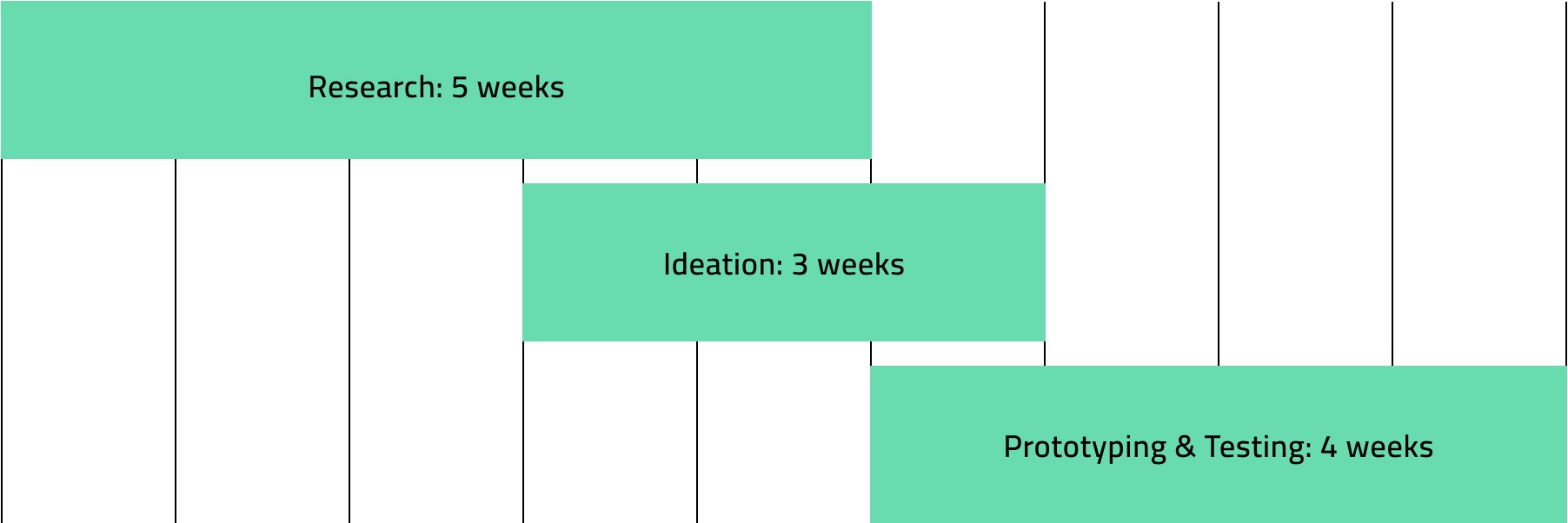
Our Research
User + Expert Interviews
Alongside initial online research, users and experts were asked questions regarding their general experiences with screen use. Users interviewed included two college students and a family of three with a 10yo child. Experts interviewed included a high school and elementary school teacher that both taught through COVID, and an optometrist.
Rigid Device Management Apps
Device control apps for children that set rigid device activity schedules and hard curfews dominate the Mobile Device Management (MDM) market. Major insights drawn from user insights and testimonies conclude that:
Strict device control apps can have socially damaging effects on today’s children.
Strict device control apps hinder children’s relationships with the digital world.

Device Tracking Apps
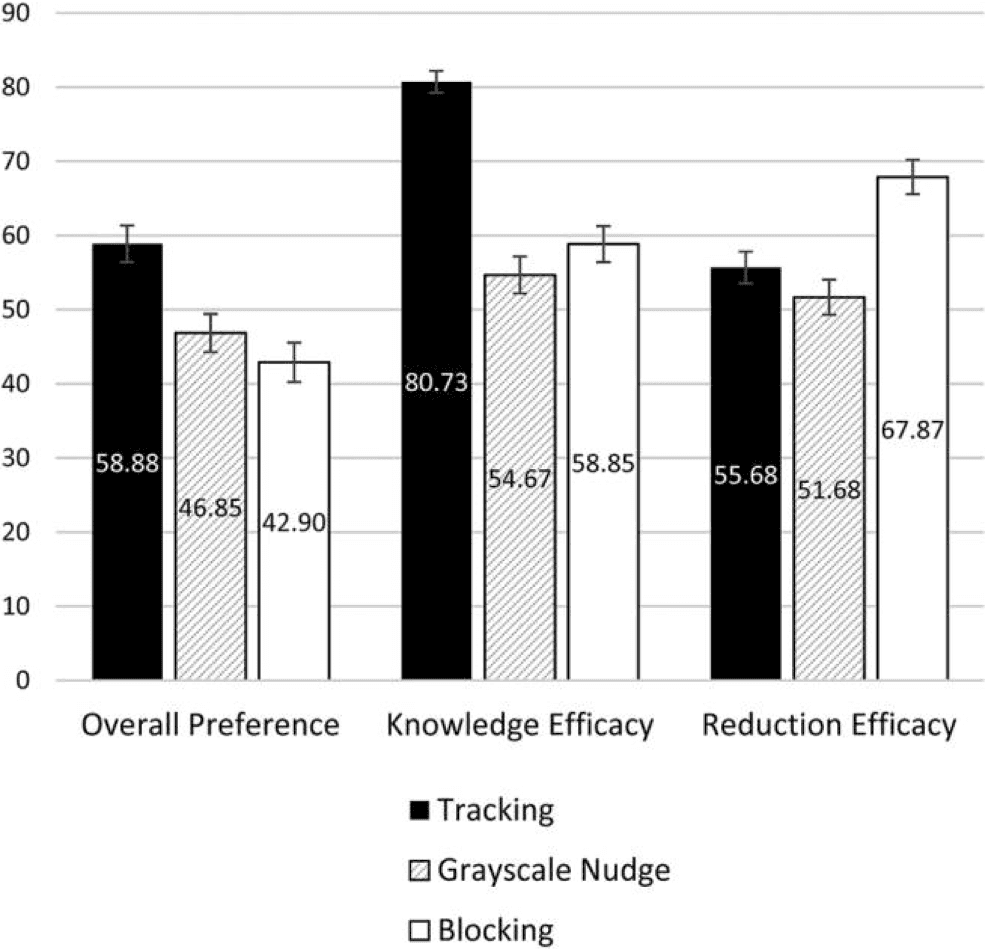
Device tracking apps fall short of enforcing positive changes in behavior, but are most preferred.
In app-store reviews, consumers often describe screen-time apps as “insufficiently restrictive” to actually change mobile habits
Self-tracking can reduce intrinsic motivation and experienced enjoyment of an activity
Despite knowing that an informational tracking app is not most effective for usage reduction, consumers evaluate it more positively than a coercive (blocking) app or a digital nudge app
Motivation Design Classes
Certain user interface experiences can create design friction that can motivate users to action. The three classes of gamification, quantified-self (QS), and social networking are as follows:
🎯
Gamification
Engaging UX that seeks to function as a game. This includes reward systems, performance metrics, and even groups of competing players.
🧘♀️
Quantified-Self
Methods of tracking user performance and activity with means of relaying it to the user.
🧑💻
Social Networking
The integration of other people's experiences with your own, the foundation of any collaborative or competitive platform.
Family-oriented experience
The screen use habits of parents can influence the behavior of their children. Incorporating a healthy practice for the whole family creates an equalizing space that boosts motivation.
Mobile self-tracking calls for complementary strategies such as rewards, social comparison, or competition
Incorporating social networking into an experience (how others are doing) increases motivation for children and offer parents opportunity to set a good example
Implementation of screen time rules and adult modeling are effective interventions to reduce screen time
Research Takeaways
Digital nudge apps that incorporate design friction and notification systems into the user experience serve as the perfect intermediary between rigid device control and passive self-tracking.
In a world where limiting screen time is counterproductive to our daily lives, other habits beneficial to your eye health can be practiced that are easy to adopt and are non-disruptive to your device use.
With parents’ influence over their children’s device habits, including parents in on a healthy eye practice can further motivate children and foster better eye habits for the whole family.
Next Steps
1
Creative a service tied to the digital experience of our users to promote healthy non-disruptive eye habits and bolster self-awareness without rigid limitations on device use
2
Understand the specific goals and needs of our users through the context of goal foci and the three motivation design classes
3
Form a space within the family ecosystem that puts eye health first while understanding the limitations brought on by the digital environment
Ideations + Design Solutions
Brainstorm Session
Group workshops were held to determine painpoints and brainstorm ideas for the potential prototype. The workshop prompts were as follows:
Define healthy and unhealthy eye habits and post stickies in the respective categories.
Brainstorm how these healthy eye habits can be enforced and/or how these unhealthy eye habits can be avoided.
Finally, how can these ideas be tailored to a digital experience for the potential product?
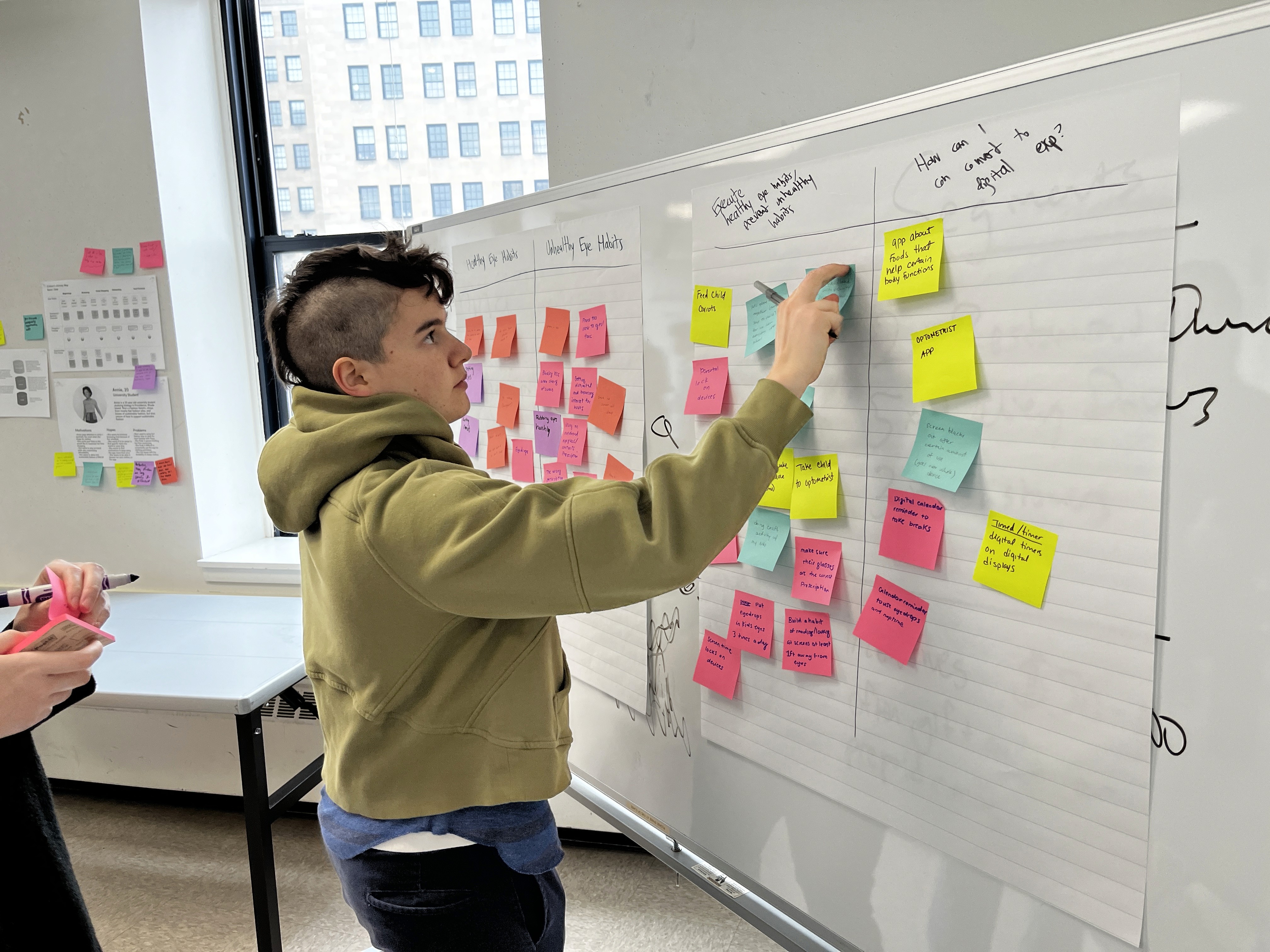
collaborative brainstorm + affinity mapping with classmates
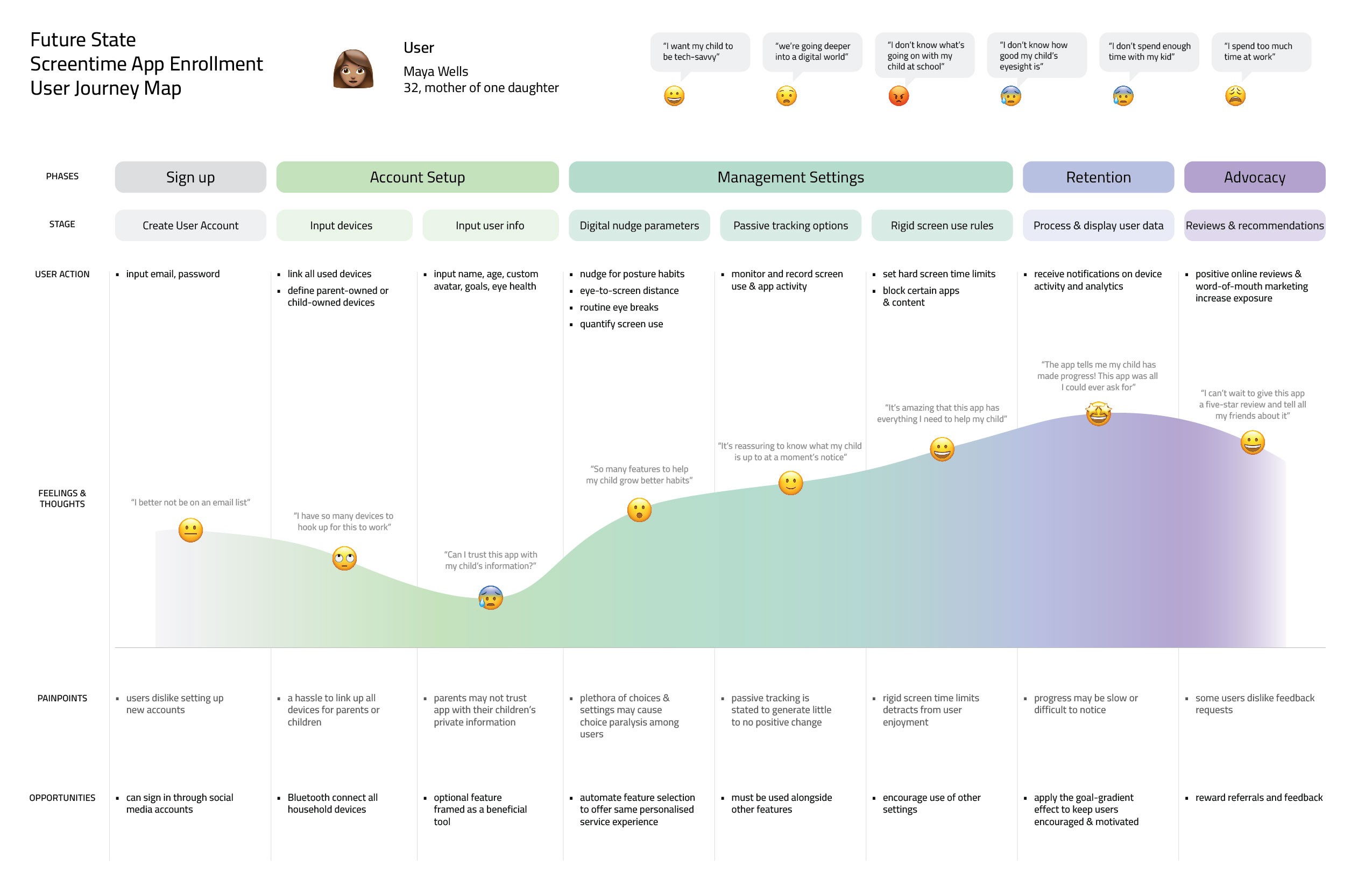
user journey map of a parent experiencing the app from onboarding to advocacy
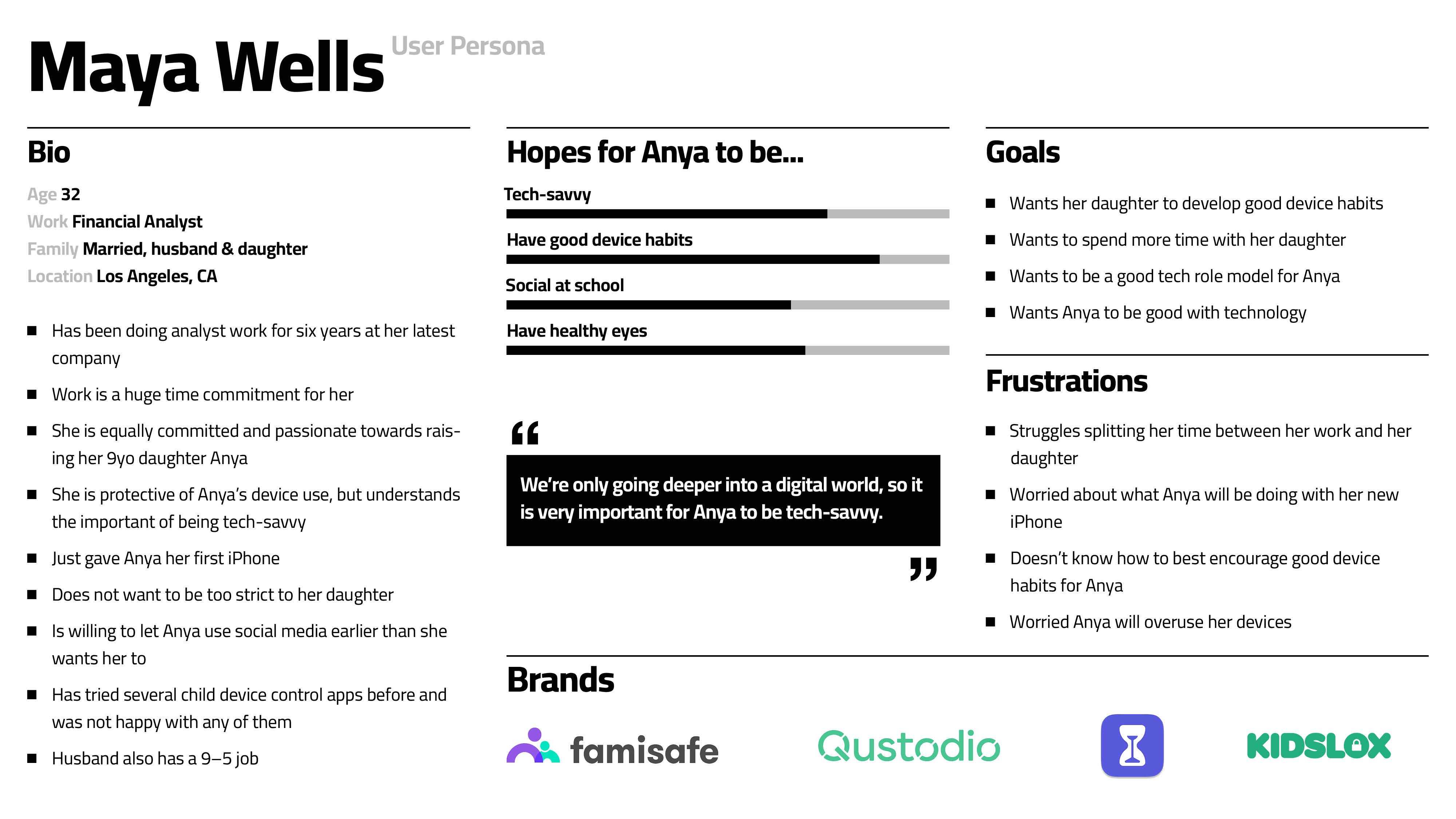
user persona of mother
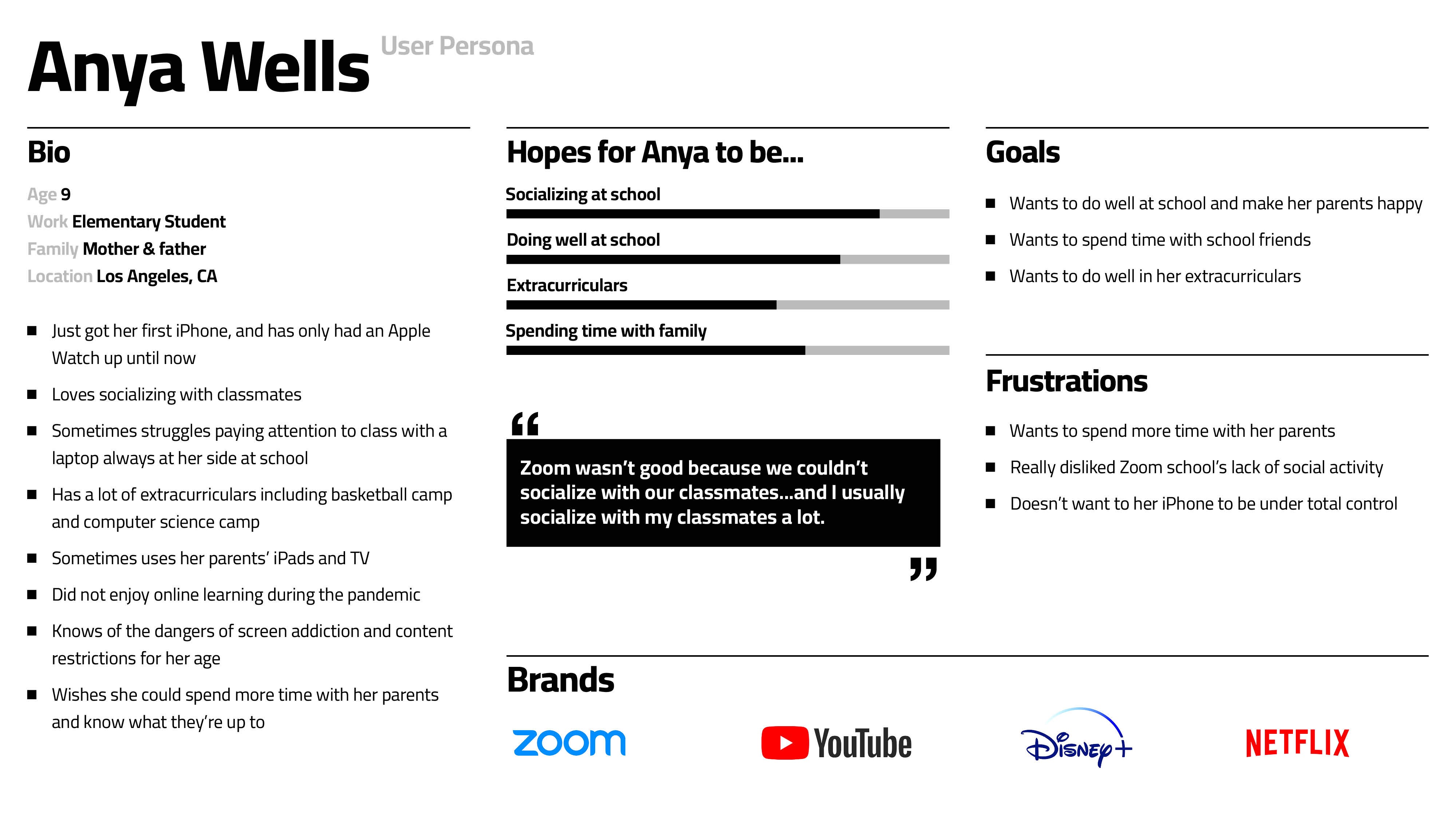
user persona of child
Prototyping
Prototyping combines our research findings and UI/UX sketches, with frequent usability testing to realign the user flow while also beginning to incorporate design system choices.
Signup Process
Sign up or login for a parent account
Sign up or login for a child under a parent's existing account
Instructional modals for enabling Family Mode (see below), selecting different device activities monitored, and connecting new devices
set time-specific use goals on a daily, weekly, or app-specific basis. goals can be enforced with a digital nudge or hard limit.
set app-specific screen time goals for your child's most used apps.
Habit Builder Switches
Settings to help enforce sustainable screen use habits for any demographic. Receive routine digital nudges to...
enforce periodic screen breaks
promote healthy eye-to-screen distance
habitually correct screen use posture
Activity Report lets you see details of your child's screen and app-specific activity for the past day, week, month, or year.
Browsing History lets your see your child're screen activity based on app used, time spent, and date of activity.
Family Mode
Apart from selecting individual devices to monitor, key features of Family Mode include:
holistic view of all device activities
set goals and regulations for entire network of devices
see device activity over different time periods as well as app-specific activity
App Blocking allows you to block or enable your child's apps from a selection of their most used apps to their browsing history.
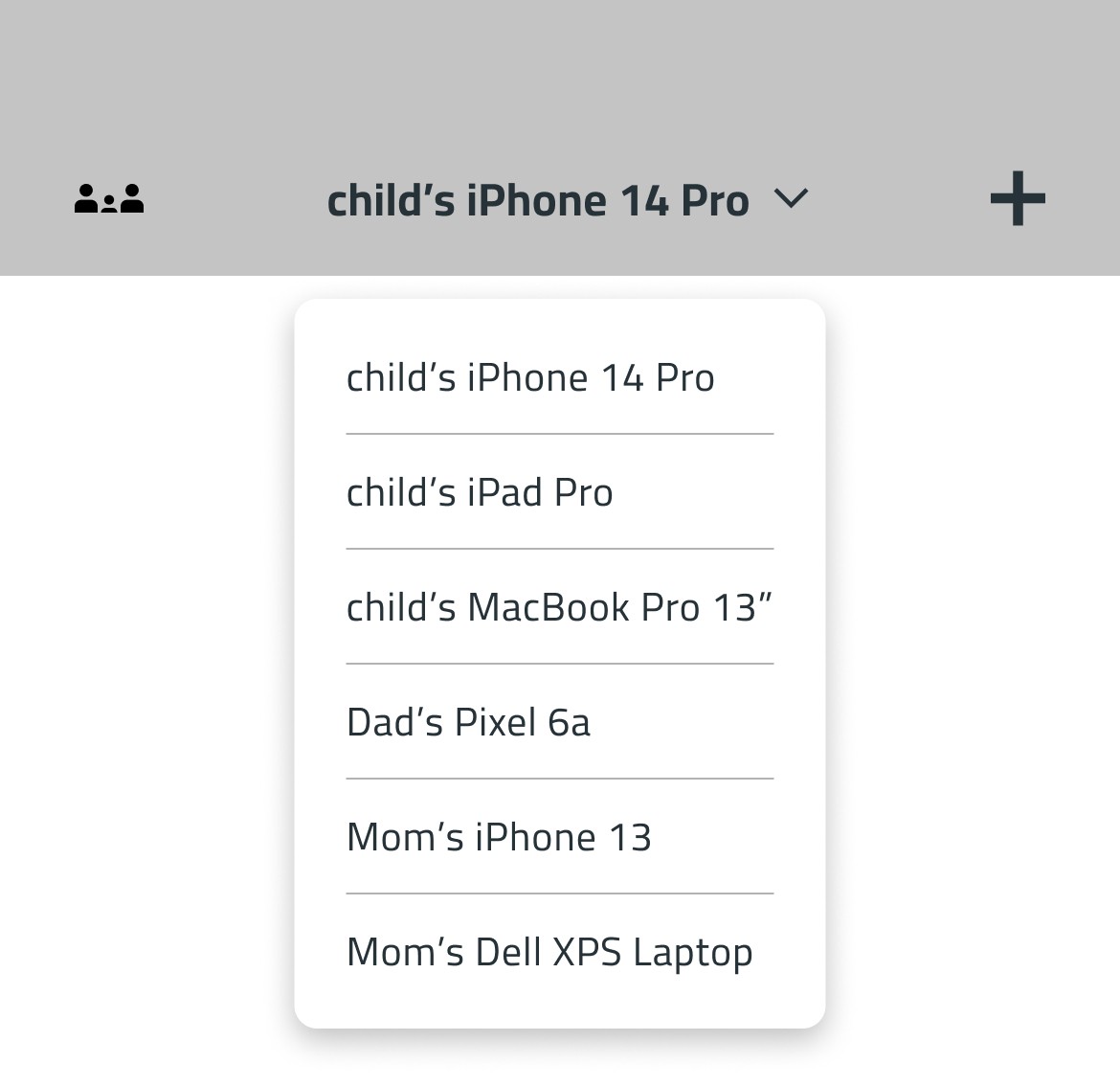
Add devices via security code to connect it to your devices for monitoring
User Testing and Development
Usability testing from potential users has informed the developments of many iterations of the product. Interviews asking about sers' feelings and dificulties using the product has influenced the information architecture and user flow of many of the product's features.
Incorporating icons
users were often confused by certain touchpoints' uses without visual aid
icons were incorporated for more important and abstract features such as Family Mode and Adding Devices
before icons
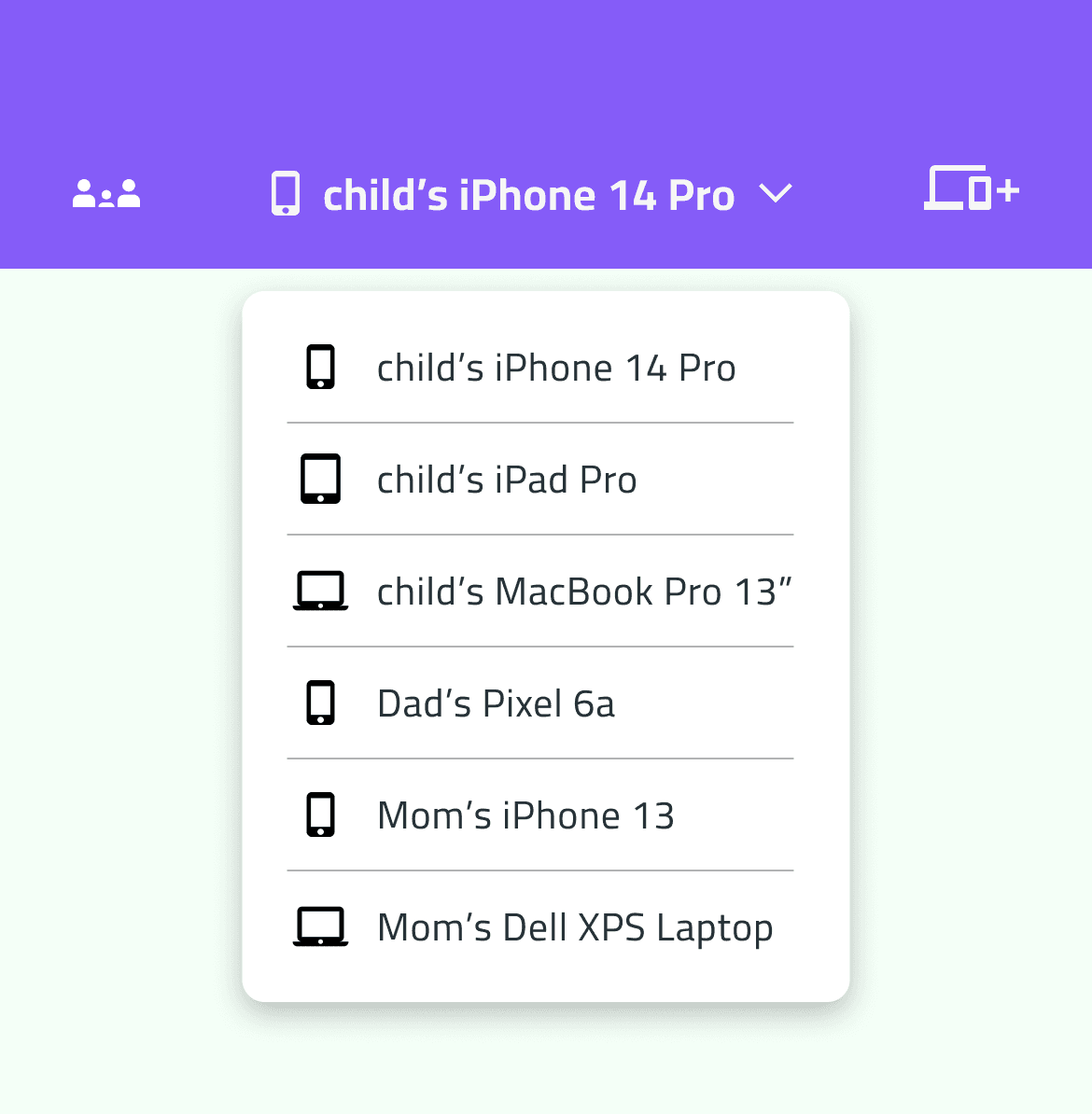
after incorporating icons
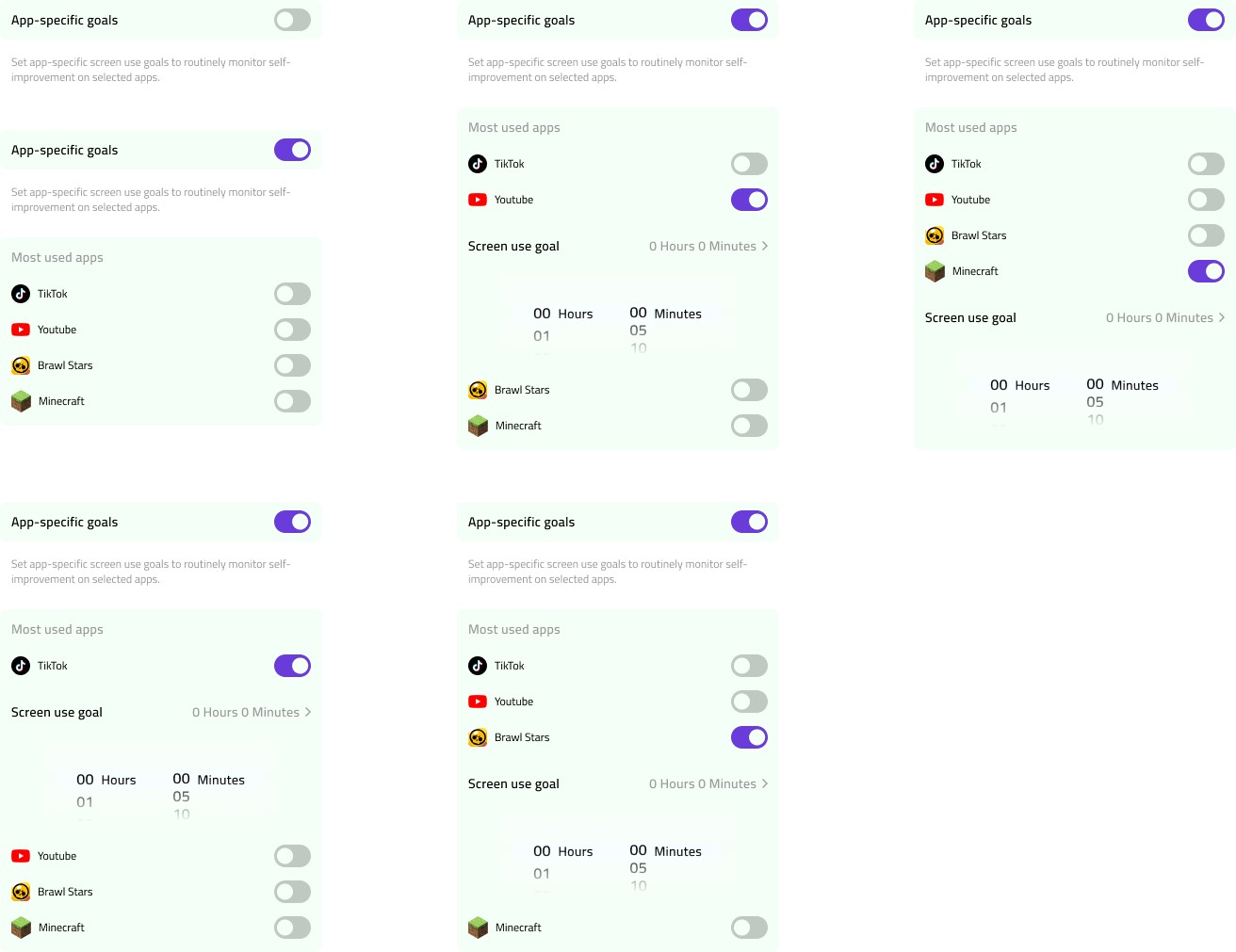
Implementing app-specific goals
setting screen time goals for individual apps is an industry standard in the MDM market
usability tests produced insights into how app-specific goal settings could be designed into an interface
with the help of user feedback, app-specific goals can be set for the child's most popular apps
Siloing the Family Mode function
Users found the Family Mode setting originally being mixed within the hierarchy confusing. Moving Family Mode to the header...
helps organize the hierarchy more clearly
makes it more visible, requiring less clicks to access it
visually elevates its importance within the prototype
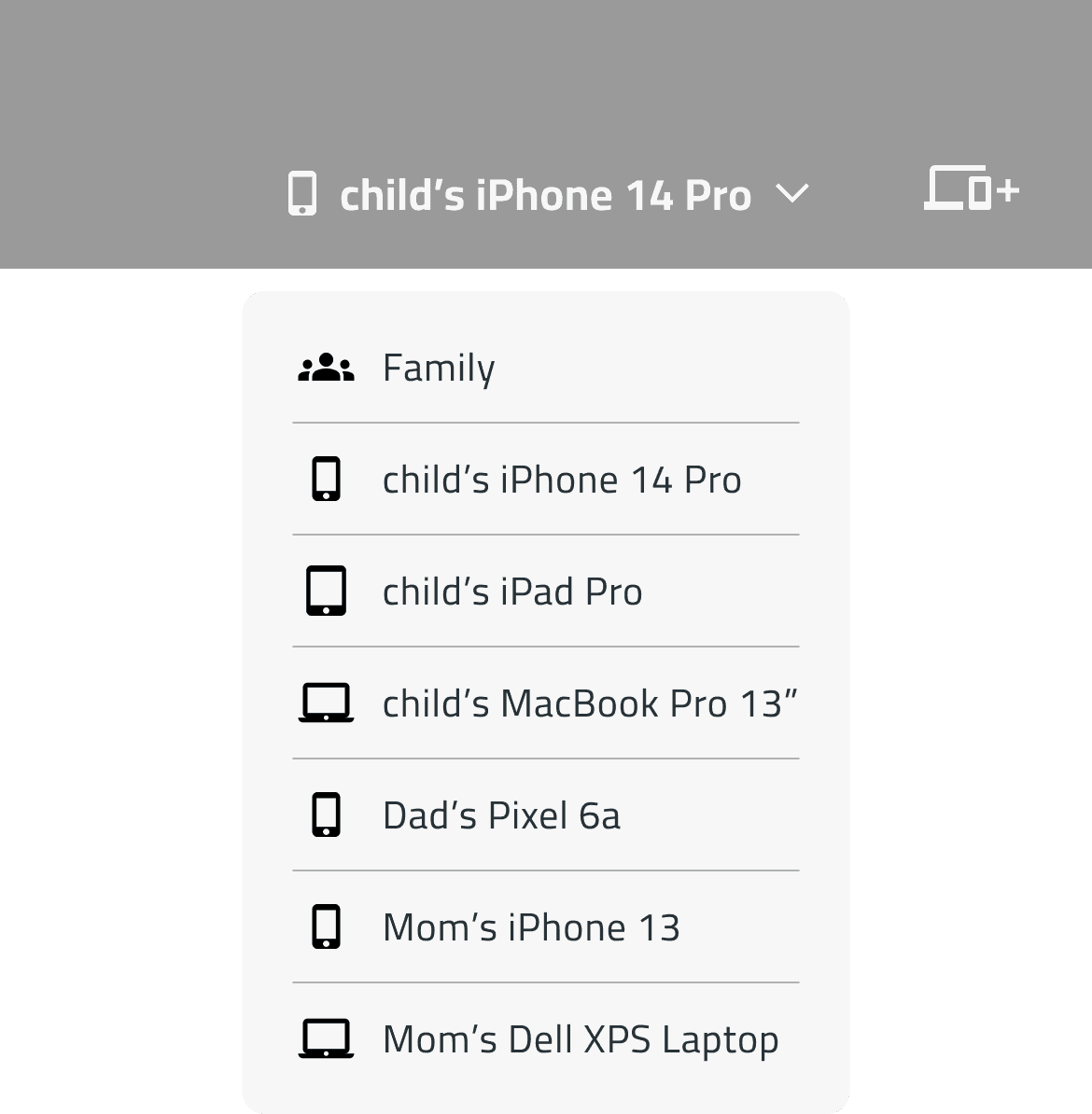
before siloing family mode
after siloing family mode
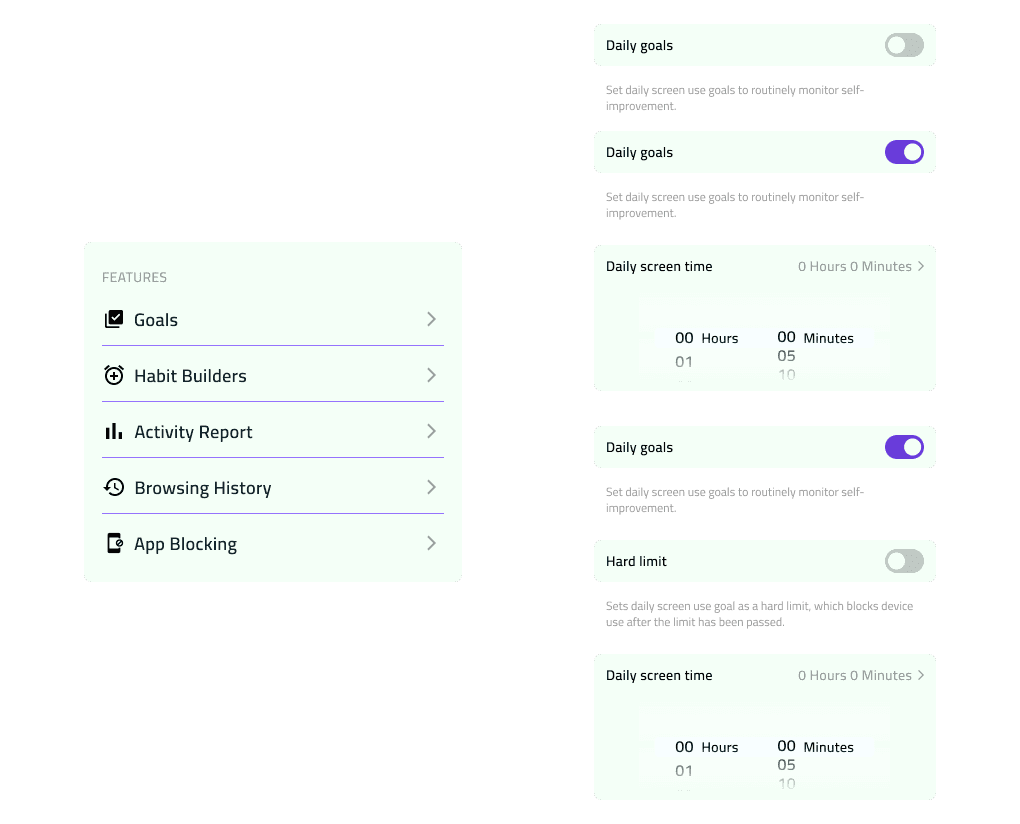
Integrating hard limits into goals
Users found the initial Screen Time Limit and Goals tabs redundant.
the two tabs could easily be merged
integrating coercive screen time limits into screen use goals remains fluent while giving more options to the user
saves space for future additional tabs in the main menu
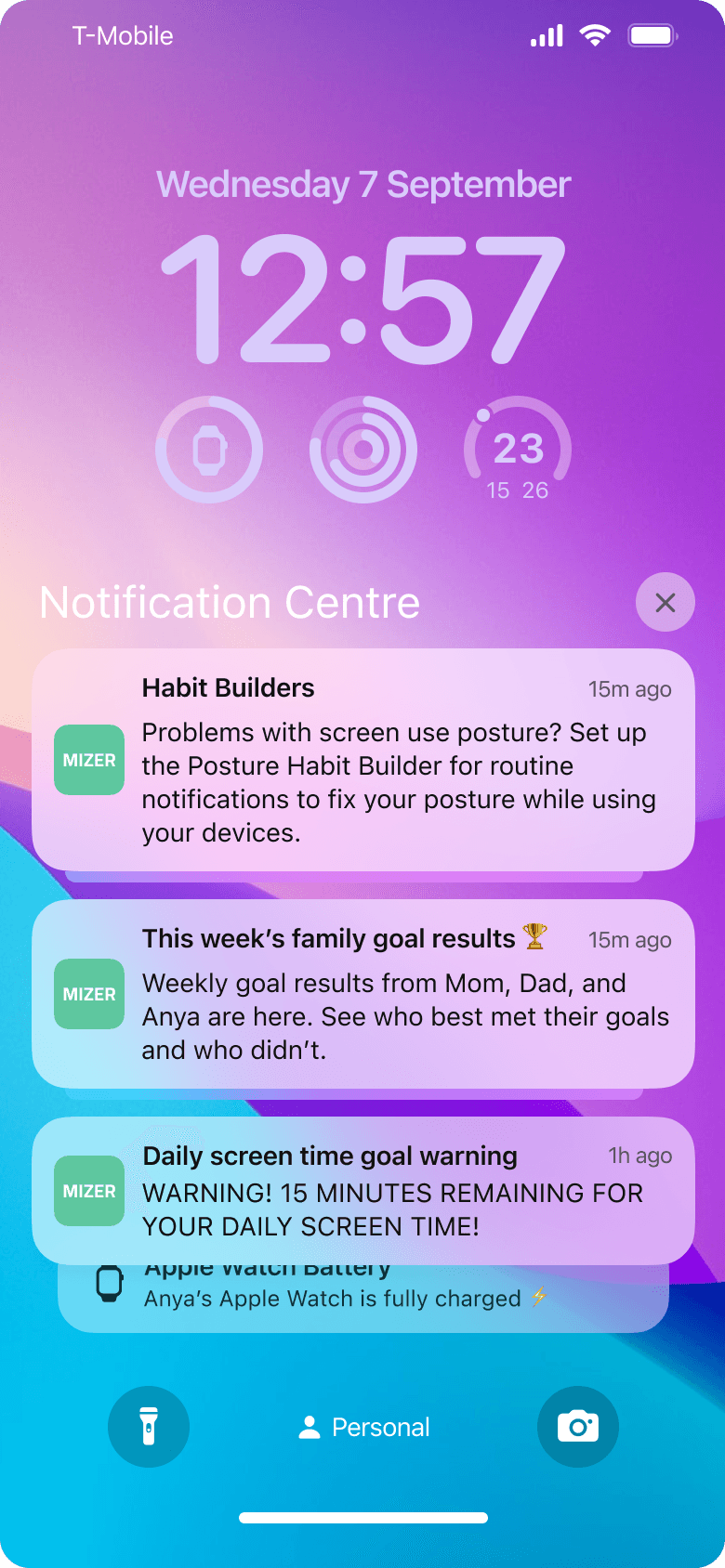
Visualizing the child's experience
Future iterations will involve building upon the child user persona to create a prototype of what the monitored child experiences.
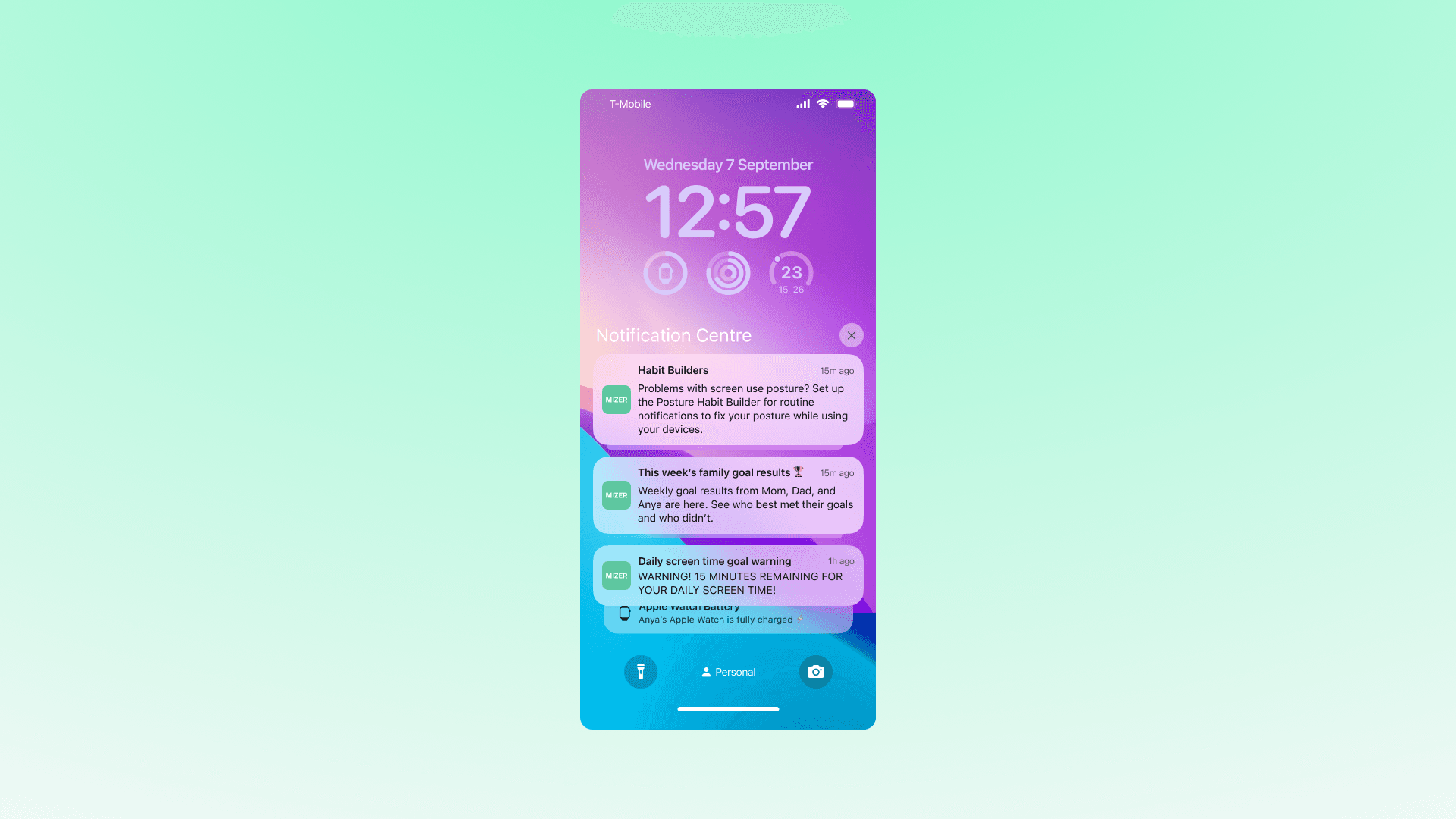
notifications to enable Habit Builders and other features
results of the family's weekly goal monitoring
timely warnings before screen time limits or goals are reached
routine nudges to fix your posture or eye-to-screen distance (if respective Habit Builders enabled)
Design System
Design audits of competing products on the market inform the color and font choices that populate the prototype's interfaces. Hierachies for both typography and color palettes are established alongside the information architecture of the prototype.
Product design research
similar products on the market, including Apple's Screen Time, contain a palette of lighter greens and purples
a custom palette distinguishes the interfaces while leveraging the recognizable qualities of existing products
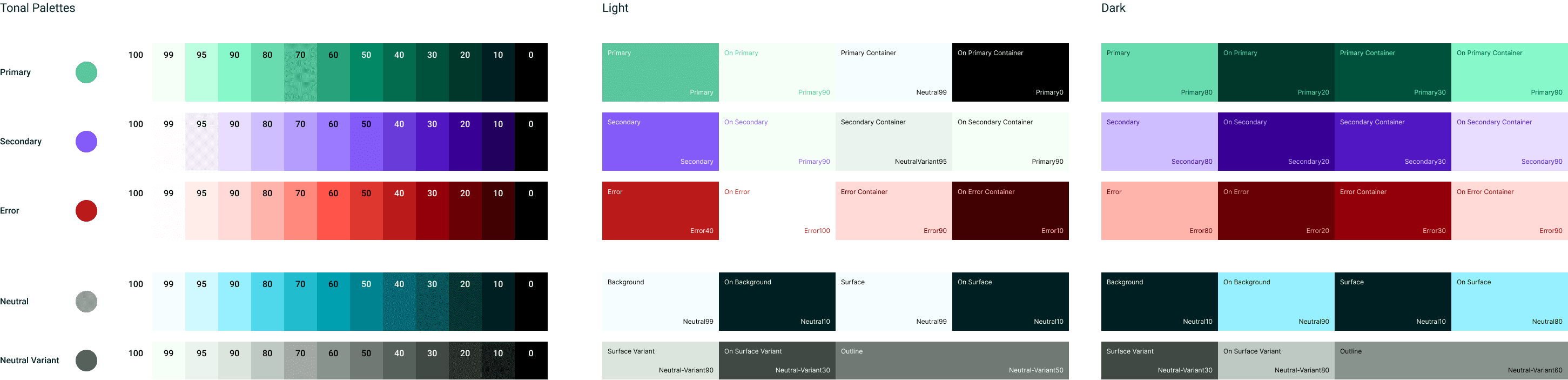
gradated brand color system for light and dark mode
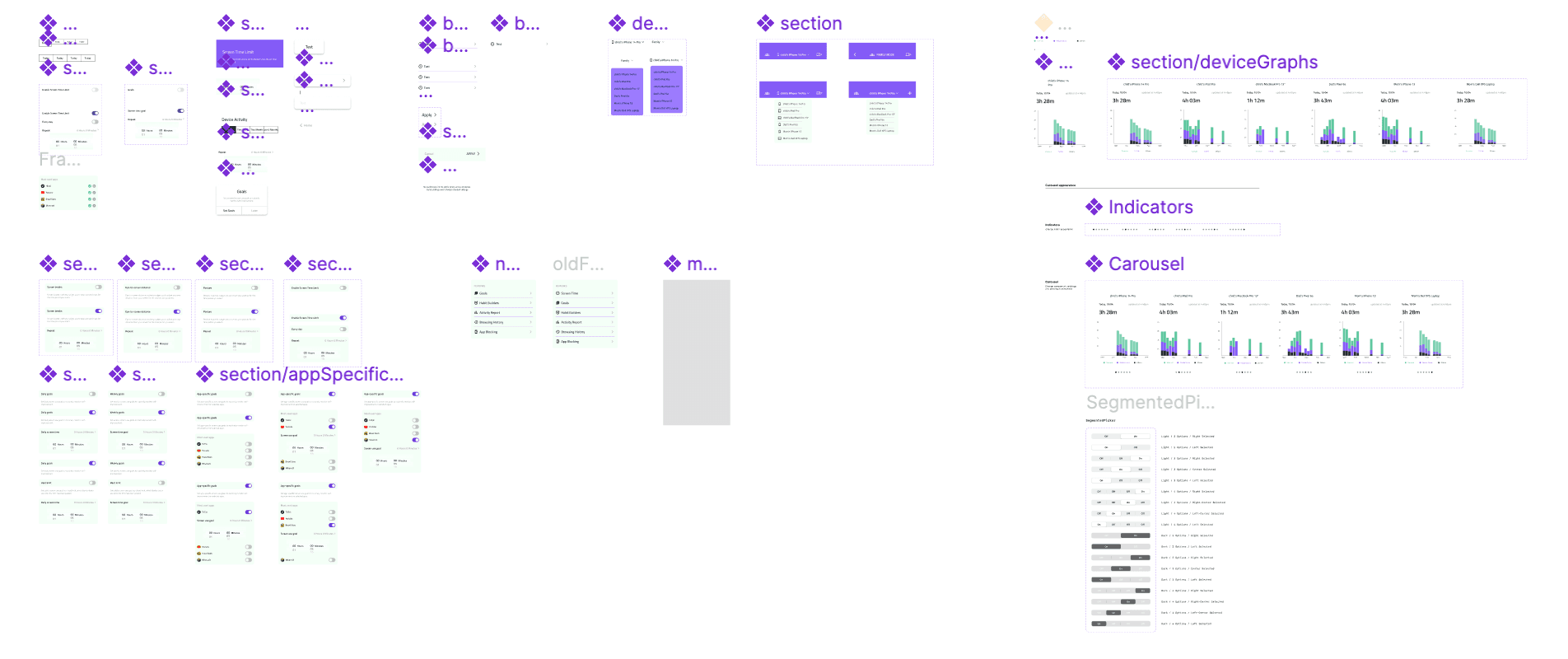
components integrating color system leveraing iOS design system